
Step by Step

Here we will learn how to get realistic mirror reflections in photoshop. This will work for any object, not just for text. Here is another example. There are many variations of this effect, for the sake of illustration we will use the text.

This Tutorial has come about due to a few requests. This starts with a fairly simple object, and finally ends up with the orb Design. Take it step by step, and you shall not only understand how to create this object, but realise that a little bit of thinking and understanding of light effects goes a long way into creating lots of things.
Here is a fun little tutorial that will show you how to make chrome outlines around your text. Have fun and experiment!
You asked for it and you got it. More Intermediate/Advanced Tutorials Step up to the Microphone please. We are going to create a microphone in Photoshop. This is a two part tutorial, but you don't have to wait for part two because I am putting up both parts today. So without any further babble, let's jump in...
Create a hollywood style, spotlight effect. This tutorial came about as a result of a request from the forums. This effect will show you how to make beams of light and realistic looking spotlights. Use this for the hollywood effect or to add lights that look like spotlights in concerts.
How to embed type in photoshop. Heres a tutorial that will how you how to carve your mark. This is so simple it should be illegal.
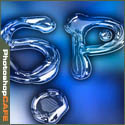
Tutorials on creating metal type abound online, as do variations on simple liquid effects. Most are fairly short, offering a good foundation for the reader on how certain effects are achieved but fail to take that extra step (or few steps) to make the piece really shine...
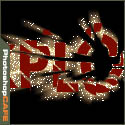
Here is a cool little effect I just made up. I know this one is going to be popular. A movie type explosion, complete with flying sparks!
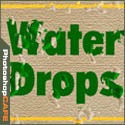
Ever wondered how they get those drops of water to look so realistic? Its time to give your images a baptism!
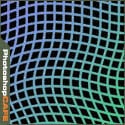
Making waves: I have been asked many times how I made the wavey Grid in my Sig. So here it is, the official tutorial.

One of the most popular features here at photoshopcafe is the “Super Tutorials”.In Super Tutorial #3 This will be a 4-part tutorial on creating a Photorealistic interface design. We will focus in on one aspect at a time and give you more in-depth instruction than I could with a single tutorial.

One of the most popular features here at photoshopcafe is the “Super Tutorials”.In Super Tutorial #3 This will be a 4-part tutorial on creating a Photorealistic interface design. We will focus in on one aspect at a time and give you more in-depth instruction than I could with a single tutorial.
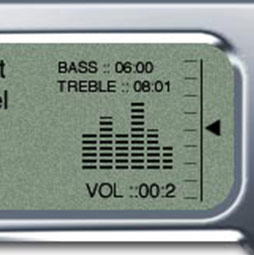
One of the most popular features here at photoshopcafe is the “Super Tutorials”.In Super Tutorial #3 This will be a 4-part tutorial on creating a Photorealistic interface design. We will focus in on one aspect at a time and give you more in-depth instruction than I could with a single tutorial.

One of the most popular features here at photoshopcafe is the “Super Tutorials”.In Super Tutorial #3 This will be a 4-part tutorial on creating a Photorealistic interface design. We will focus in on one aspect at a time and give you more in-depth instruction than I could with a single tutorial
More collaging techniques for Photoshop, using channels and layers.This is a bit more in depth than some of the other tutorials, you will learn several techniques that you can adapt to add a pro touch to your montages and collages. You asked for it, you got it! Enjoy










