
Step by Step
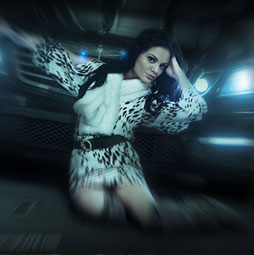
You can pull the viewers eye into a portion of a photograph by simulating an in-camera zoom effect. This zoom effect is almost hypnotizing in its power of attraction. It's easy to make this photo zoom blur effect in Photoshop.
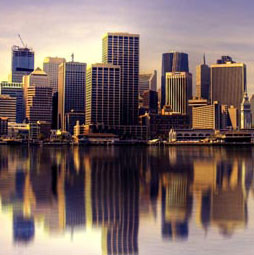
This tutorial will walk you through all the steps to create a realistic-looking water reflection to add a splash of life to your photographs. The creative drought is over!

In this tutorial, we will use the powerful tools of Photoshop to create a realistic modern smartphone that you can use in mock-ups of mobile applications.
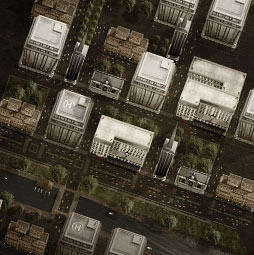
This free tutorial on game art is broken into two parts. The first part shows how to create the individual buildings from photographs. The second part shows how to construct an entire city for the parts. (Editors note: The upright feature was added into Photoshop CC and is worth looking into for straightening the buildings)

Here is my Version of the ever popular Segmented Pipes photoshop tutorial. A staple for interfaces.Enjoy

This is the original Tutorial on this rap diamond effect, there have been many rips of it in other places. (imitation is flattery they say) You could create those Rap type diamond effects using the noise filter, however this technique creates a more interesting result.

Here is a tutorial that you can use for layered collaging. While it might be easier to use a layer mask or a quick mask to acheive the same result, this tutorial is engineered to help you understand Alpha channels. An understanding of Channels will put you onto the fast-track of Photoshop mastery.
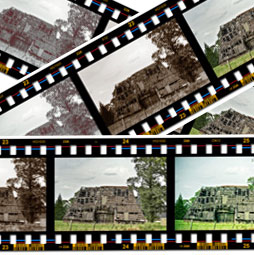
Here is a tutorial submitted from Hermie (One of our Community Managers at the forums) This will show you how to create a filmstrip from scratch. This is really useful and requested tutorial. You can paste your photographs into it. You can use it as a design element, or for displaying your photographs.
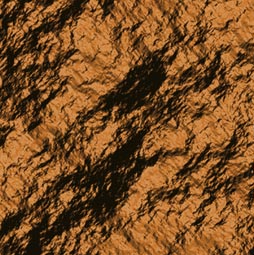
How to create rock textures in Photoshop. It's surprising how you can create stunning photorealistic rock and stone texture so easily.

This tutorial will show you how to turn a Photo into a painting that resembles something you would see on on of those old English Tea cans or on china Dinner sets
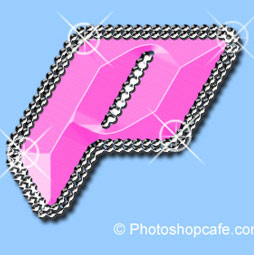
I received a request from the forum for this effect from one of our Members living in Japan. This is a technique that is all the rage over there. Not knowing what is effect is called, I decided to dub it the "Anime Bead" effect. Enjoy!

Here we have an image of some people playing on the beach in the afternoon. We can easily change this image to look like it is late in the day and the sun is setting. The beach will be bathed in golden light
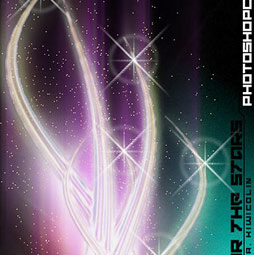
Here is a nice effect that looks like the sun glinting off a metallic or shiny surface. This starburst effect even includes a little lens flare. A tasteful replacement for the sometimes over used lens flare filter. (A shout-out to Mrs Wanack and class at Humble High School who requested this.)

This technique is a contrast/tone and color correction technique all in one. Once you run through this, you will see how just about any image can be improved and you will use this technique many times over. For a number of years, this was just about the only correction technique that I used

s it possible to make a selection of this semi-complex shape in only 3 selections? Of course the answer is yes. Ok if you’ve given up, or want to check your answer, here’s how its done.










