
How to create cinematic Color for your photos in Photoshop
This photoshop tutorial shows how to add excitement and drama to your photographs by stylizing them with cinematic color grading. Take photos and really add some punch to them. You will learn
- Quick basics of color
- Color grading in ACR
- Color Grading with Curves
I hope you enjoy this tutorial, see you soon for more!
Colin

Keep growing with Premium Courses
Photoshop 2026 for Digital Photographers
Learn Photoshop properly, from the basics to pro retouching, step by step.
$129.00 · one-time purchase · instant download

Free for you
The Photoshop Vault
Get my free Layer Blending Modes ebook along with dozens of exclusive Photoshop goodies: actions, brushes, presets and cheat sheets.
You're on the list, so your free goodies are waiting for you in the Vault.
Get Free Photoshop Goodies Open the Vault

Curves in Photoshop explained Photoshop Tutorial
Here is a beginner to intermediate tutorial on how to use curves in Photoshop. Curves are feared by many, but they don't... Read tutorial
Amazing color and texture in your photos with LAB color in Photoshop tutorial
Photo editing in LAB color in Photoshop to get amazing texture and color and how to mask your photos for extra punch Read tutorial
Choosing an exact color in Photoshop and changing a photo to match
How to replace a color with color from another photo in Photoshop. Learn how to colorize an object in Photoshop with an... Read tutorial
Add colored highlights in Photoshop with color curves
How to control color with Curves in Photoshop, easier and more powerful than you imagine Read tutorial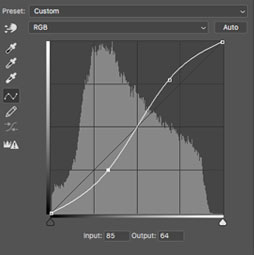
How to use Curves in Photoshop for tone and color tutorial
How to use Curves in Photoshop, How Photoshop curves work and how to adjust color and brightness on photographs. Using Photoshops most... Read tutorial









Your link to get the pack isn’t working.