
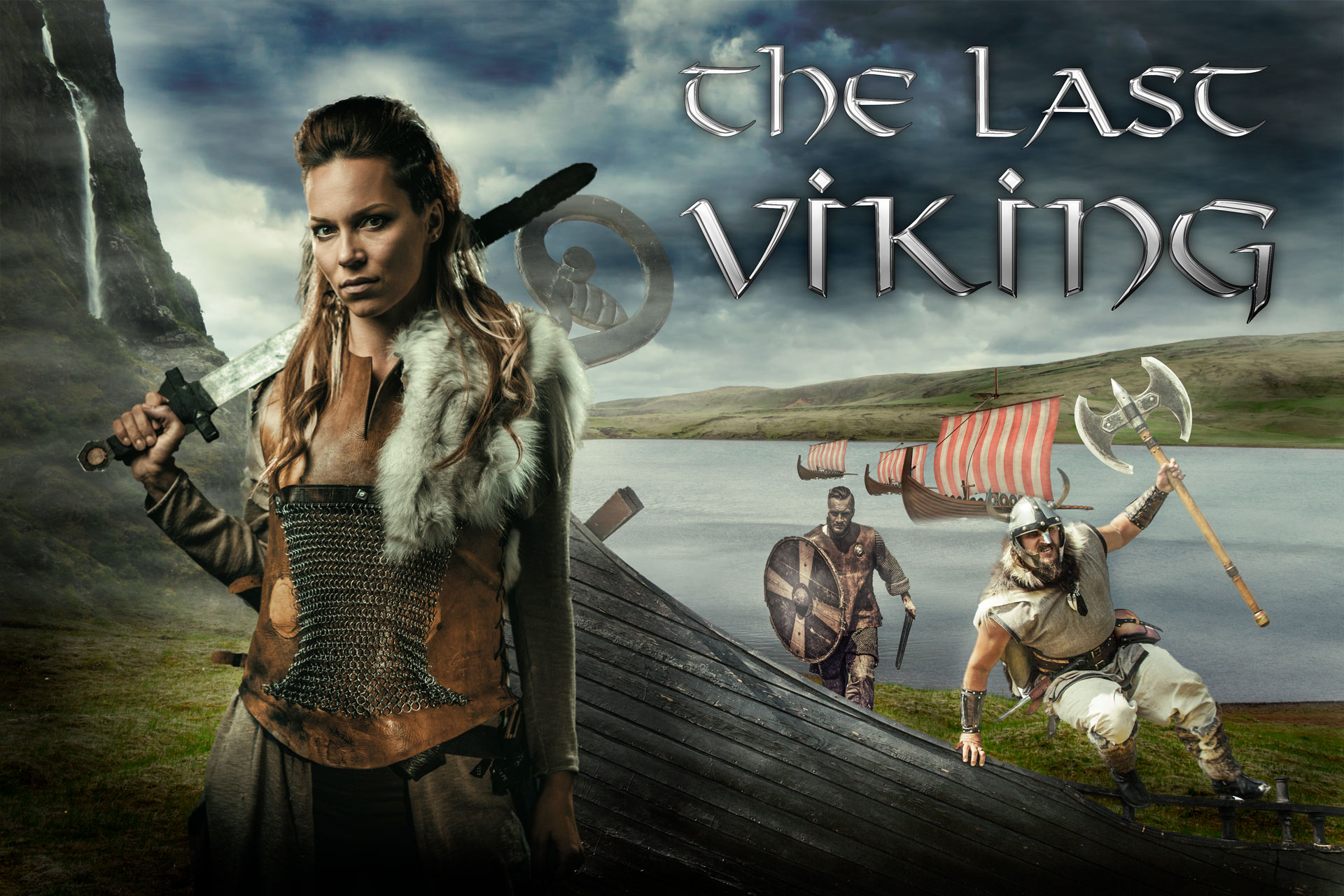
Combine Photos to make a Vikings composite in Photoshop
I’m a huge fan of the TV series,Vikings and so I was inspired to make some artwork based on that theme.
I didn’t have any photos of Vikings or longboats, so I turned to stock photography to feed my inspiration and I walk you through that entire process here.
I’ll show you how to make a movie poster in Photoshop by compositing stock photography to create original digital art.
Add a comment. Also, don’t forget to sign up for our newsletter. New tutorials are on their way and by signing up you make sure not to miss out on any!
And until next time, I’ll see you at the Cafe.
Colin
PS Don’t forget to follow us on Social Media for more tips.. (I've been posting some fun Instagram and Facebook Stories lately)
You can get my free Layer Blending modes ebook along with dozens of exclusive Photoshop Goodies here

7 thoughts on “Combine Photos to make a Vikings composite in Photoshop”
Leave a Reply
Follow Colin Smith's Lightroom Classic editing workflow and learn the 3-step process for editing photos in Adobe Lightroom and Camera...

How to make HDR Panorama photos. this free tutorial show the entire process, capture to final image using Adobe Photoshop...

In this photoshop tutorial you will learn how to paint color into a photograph exactly where you want it, while...








Nice idea using Color Blending Mode, set s the mood very well.
Brilliant tutorial – as always.
That’s was definitely a good tutorial
Don’t forget to share your images with the community on our facebook group https://www.facebook.com/groups/53878338135/
Would love to see more Written instructions. Trying to teach my class how to do this.
Do you have written instructions for this. My class is trying this. Great video
I haven’t written it out yet. Thats great to hear!