
Photoshop colorize neural filter, 3 tips for total control over color
I have been experimenting with the amazing colorize ai powered filter added to Photoshop. I discovered a few things that will really help you take full control over colorizing images. This works to colorize black and white, or color images.
The 3 things you will learn in this video are:
- How to tell Colorize what colors to use, even multiple colors.
- How to restore original colors exactly where you want
- How to touch up with any color you want, wherever you want.
I hope you enjoy this little Photoshop Tutorial.
Colin
PS Don’t forget to follow us on Social Media for more tips.. (I've been posting some fun Instagram and Facebook Stories lately)
You can get my free Layer Blending modes ebook along with dozens of exclusive Photoshop Goodies here


5 thoughts on “Photoshop colorize neural filter, 3 tips for total control over color”
Leave a Reply

What am I missing? Why Lightroom for Bridge users If you already use Bridge and Camera RAW, you can do...

How to make a multilayered effect on a single layer in Photoshop using Smart Filter Blending. Make an Orton effect...
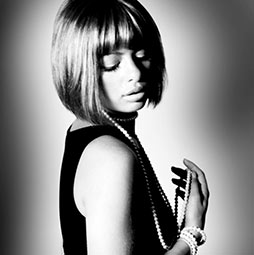
in this Photoshop tutorial, learn how to add a nostalgic Black and White Film Noir look to a portrait. This...








cool
Yep, It’s brilliant. It can even sense the ethnicity of the person in the photo when you colorize a mono image.
Great tutorial and they keep getting better. .Is it possible to download this image so I can follow l along.
Thanks.
Thanks Colin. Quite interesting
I simply wish I could get the Neural filters to download.