
Best Tech in 2025-2026 for Creative Pros PhotoshopCAFE Picks
The best products of the year (2025-2026)
(AKA Colin’s Gear Guide)
2025 is almost gone, but what isn’t, is all the exciting tech and gear we need to make our creative stuff.
I wanted to share all my favorite products of the year. Kind of a Colin Smith’s creative tech roundup kind of thing. There are some that I included last year, that are in here again, Why? Because some are so good
Now, the criteria for this isn’t just a bunch of things I’ve seen other people use. This is tech so good, I actually own and use everyday (where applicable, I mean, I don’t use a gimbal or 360 camera every day. But when I do, these is the ones I prefer.). There were some products that didn’t make the grade, which I returned or they are gathering dust somewhere. When I replace a piece of gear, I usually research and test many options before adopting it. Full disclosure, some of these were given to me and others I purchased myself. If it’s not the best of class I’m not including it, even if it was given to me, so this isn’t a sponsored post, it’s my unbiased opinion. (I’ll add a little asterisk * by the products given to me, so that you know). Most of these I have reviewed throughout this year and I’ll link to those reviews.
This is purely my opinion and based on my hands-on experience. Yes, there will be “what about xyz products?” and these might not be included because I haven’t had hands on experience with them, so I won’t make blind recommendations. I think you get the idea, so please don’t fill up the comments with “what about” posts 🙂 But do fill up the comments with your favorite gear picks.
Alright, let’s go!
Best Laptop
16″ MacBook Pro M4 MAX 64Gb
The 16″ MacBook Pro is a great laptop. It features a large clear screen and lots of ports including a SD card reader. The Apple silicon chip generates very little heat and is super power efficient. Even the earlier M1 and M2 chips still hold up as far as speed goes. With Apple, there is always balance of power and budget and I recommend this configuration as maximizing power without going completely overboard with price. I often get the 1TB storage as it’s enough for all your apps and you can transfer your work to external drives. The cost of larger drives is the single most inefficient way to spend your money. This is a higher end setup, but you will also be happy with a lower tier for less money. Also consider the M3 Ultra Mac Studio for a desktop machine.

Best Monitor for a Creative Pro on Mac
PD2730S
The PD2730S is a great 27″ 5K monitor with thunderbolt 4HDR and 98% P3 and Retina-like 218 ppi. With a high contrast ratio and color syncing with Macs, this is an ideal monitor for Mac mini, Mac Studio and and external display for MacBook Pro, thanks to its 5k resolution. I have a review of this coming soon!
Best Pro Monitor on a Budget
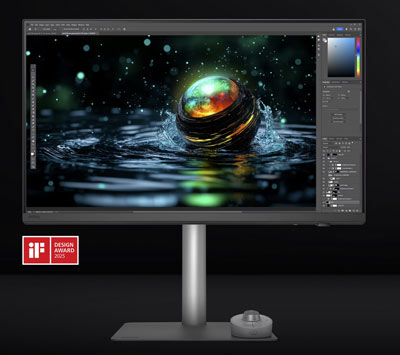
BenQ PD2706UA
This monitor has a crisp clear 4K display. It also comes with some great features live KVM mode and an articulating arm. You can quickly adjust the height, angle and even flip between vertical and horizontal displays quickly. Check out my full review in this little beauty. This is currently my 2nd monitor on my desktop for daily use.

Mirrorless Camera
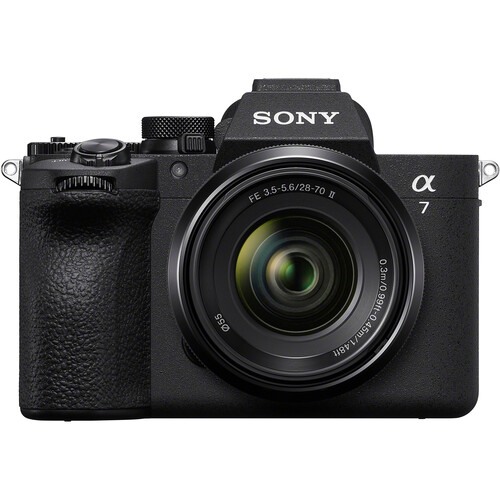
Sony A7V
Everyone has been waiting for this one, and it just got released! The Sony A7 series is the best of both worlds in quality, affordable photo and video. 33mp Full-Frame sensor. 4K 120fps video, recapture, fully articulating screen, IBS and ai assisted autofocus.
Review coming soon!
Hub/Dock
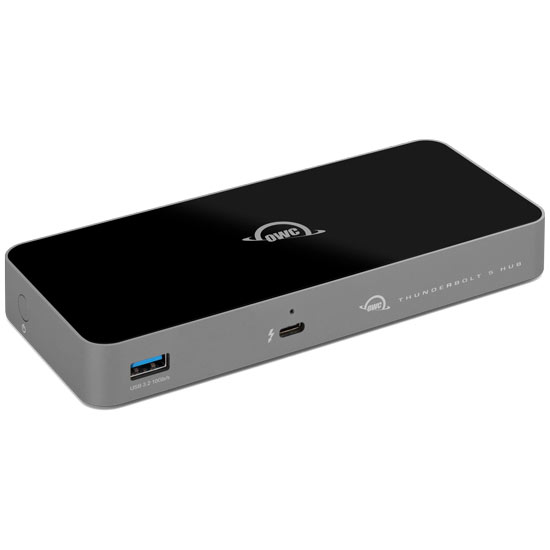
OWC Thunderbolt 5 Hub
This TB5 hub expands your Thunderbolt ports and is also backward compatible with TB4, 3 and USB-C devices. Works with display port up to 3 8K displays. Fan-less design runs silent, very important for me. I have this on my desktop right now and it works great.
Portable Hard Drive
Samsung 4TB T7 Shield Portable SSD
These tiny drives are ultra fast and small. I have found these drives very reliable and they don’t require separate power plugs. They are also great value for money.

BEST GIMBAL
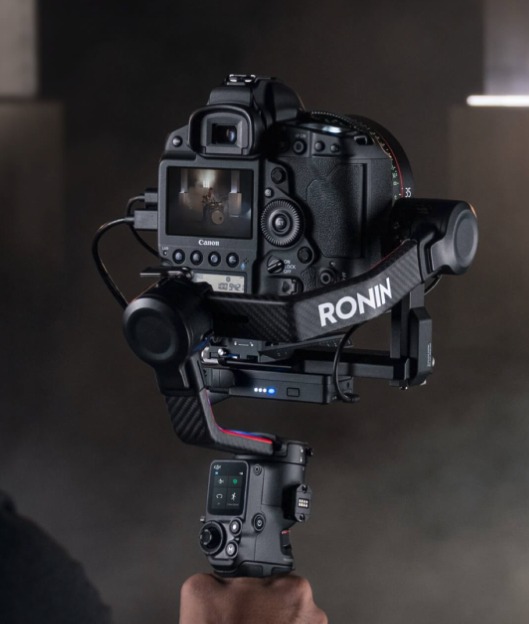
DJI RS4 Pro
The newest DJI Ronin gimbal, now called RS4 is very similar to previous RS3. The arms are carbon Fiber, the battery detaches to charge without having to be attached. It can be used in briefcase mode, it has locking axes (makes it easy to balance) carries a heavier payload and breaks down into a very small footprint. The inbuilt screen provides access to enough functionality, that you can use the gimbal without having to attach a smartphone for quick shoots. If you get the pro bundle (I highly recommend you do) you get a mechanical focus to work on any lens and the amazing Raven Eye. Raven eye connects to the app wirelessly and provides remote control over the gimbal movement including a responsive mimic and automatic face tracking. This is now my favorite gimbal, hands down. This is how you get cinematic smooth footage while walking or moving the camera around a subject.
See my setup video for the full Pro bundle
Best 360 Camera
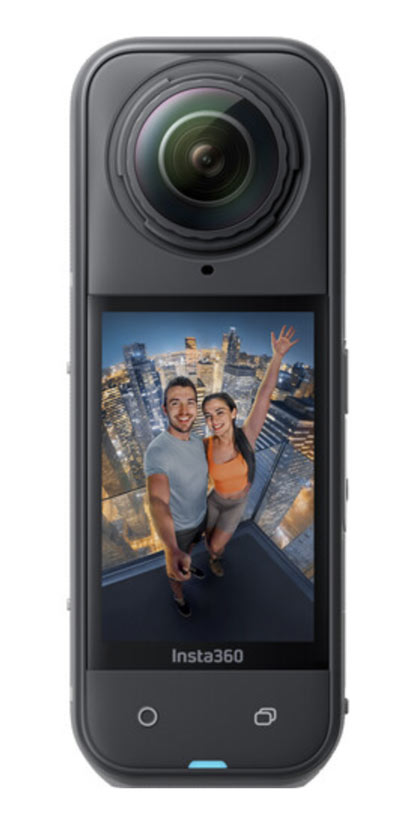
Insta360 ONE X5*
The quality of this little 360 8k camera is amazing, and with the app you can recompose video in post to make it look like the camera is moving around. Miss nothing by capturing the entire scene at once. To boot, it has the best stabilization out of any camera I tested including the goPro.
Tiny Camera
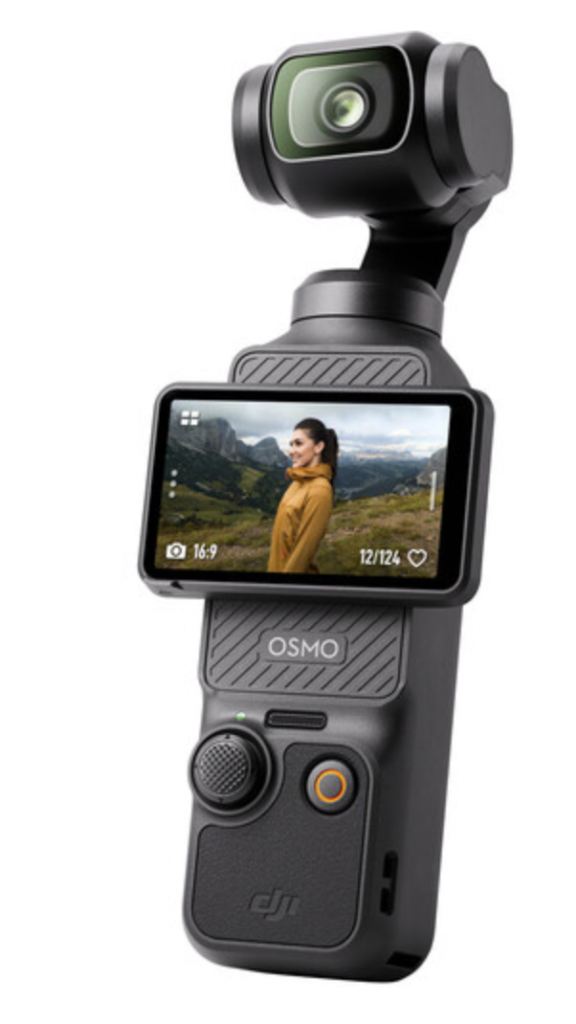
DJI Osmo Pocket 3
This little camera is amazing. Its super stable thanks to the gimbal, easy to shoot vertical our horizontal. It also syncs up with (1 or 2x) DJI Mic 2 to easy, quality audio. This is so good for run and gun, it was the only camera I took to CES this year.
Best Mobile Phone Gimbal
Insta 360 Flow 2PRO
The Insta360 Flow 2 PRO is a handheld, pocket-sized gimbal that is designed to stabilize your smartphone camera while you are on the go. The device features a three-axis gimbal that provides stability on the pan, tilt, and roll axis, ensuring that your footage remains smooth and steady, even if you are moving around. This makes it perfect for capturing footage while walking, running, or engaging in other activities where it may be difficult to hold your phone steady.
One of the standout features of the Insta360 Flow 2 pro, is its portability. The device is small enough to fit in your pocket, making it easy to carry with you wherever you go. This means that you always have access to stable footage, even if you don’t have a bulky camera or tripod with you. It also features Deep track 4, an ai powered smart tracking, that follows the subject, even if they disappear behind obstacles for a few seconds.

Best Smartphone
iPhone 17 pro MAX.
The iPhone is obviously a solid contender, with easily the best integration between hardware and software. World-class cameras and best of class video.
Microphone
Sure SM7B
This thing is industry standard for podcasts and desktop recording for a reason. The sound quality and rugged reliability is legendary. All my tutorials are recorded with this mic. I also use a Scarlett solo for the USB interface. Because this is a dynamic mic and not a condenser, it may need a little boost, so I use a Cloudlifter.

Photo Software
Adobe Photoshop 2026
Do I really need to explain why Photoshop is the best image editing software? It’s the industry standard for a reason. Review
Adobe Lightroom Classic (2026)
Lightroom is the best tool for working with lots of photos. Use it to organize your photos, edit them and deliver in many ways. I have always been a fan of the quality edits I can make to my photos in Lightroom and it handles panoramas and HDR better than just about anything out there. It works with 3rd party plugins so you can extend its functionality. Review

Best Music for your Videos
Epidemic Sound, the right songs, the right license at the right price. need I say more? You can download the entire song, or stems.
Graphics Tablet
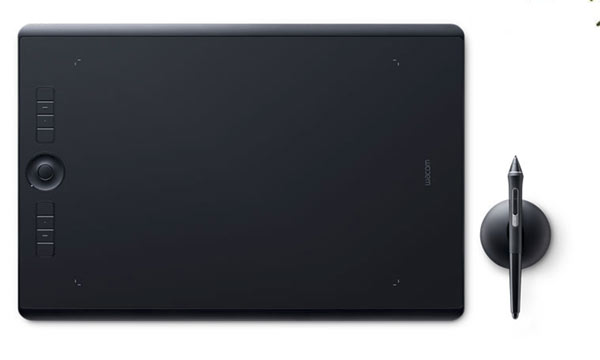
Wacom Intuos Pro M*
Wacom is head and shoulders above all others when it comes to pressure sensitive input from a stylus. If you have ever used a Wacom tablet, you will realize these is a reason it’s what almost all the pros use. The feel is the closest you will get to pencil on paper, with no lag and lightweight pen that doesn’t need batteries. The latest Intuos Pro now supports 8192 levels of pressure sensitivity, which allows even the lightest touch to register and not turn into a dotted line (as almost everything else does). It has built in Bluetooth or USB-C connectivity, so you can choose how to connect. I find the medium to be the “goldilocks” in sizes. It’s large enough to provide the precision and real-estate for drawing and not too large as to hog your desk space. For retouchers the Wacom tablet is a necessary tool, not an accessory. I sure couldn’t create the imagery I do without one and the latest release is worth the upgrade with the Pro pen2, metal back and high level of sensitivity. review
Color Management
X-Rite Color checker Passport photo 2*
For perfect color, you need a reliable source with known colors to calibrate your photos. Take a shot with the passport in frame, create a color profile that works in Lightroom or ACR and all your photos are looking good with lifelike color
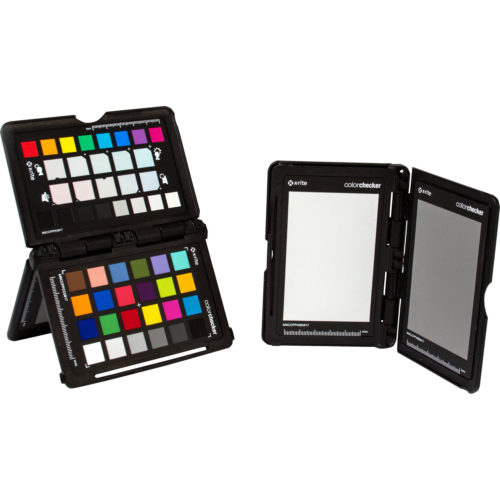
X-Rite Color checker Passport video*
You need to calibrate your video too and this is the solution.
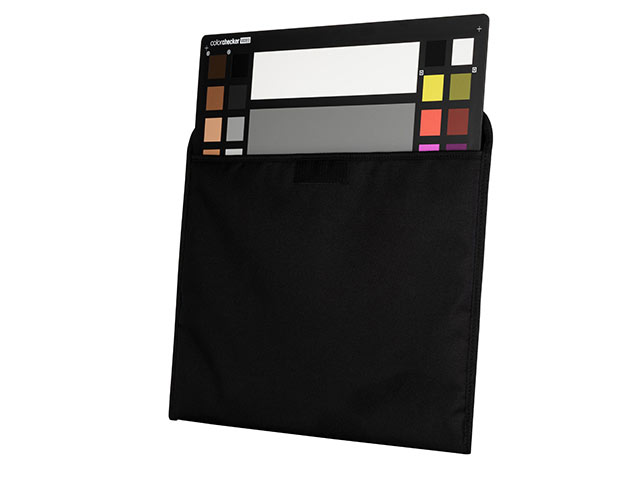
X-Rite Color checker XL*
If you are serious about color management, you probably already have an X-Rite color checker. This card enables you to have known colors when you shoot. This enables you to dial in correct colors when you are editing the color of your photos or video. There was a problem with the color checker though. If you are flying a drone or using 360 Cameras, the chart was a little small to get a good reading sometimes. Enter the XL (For Extra Large). As an Xrite Coloratti, I was involved in testing the XL and providing real-world feedback. Not only was it amazing for drone work, but I love it in the studio. I use this to calibrate my cameras, Its nice and large, has true blacks, whites and gray tones as well as skin tone and primaries. The larger size enables me to double it up as a take-off pad for my drone, bonus! see it here
The Best Drone
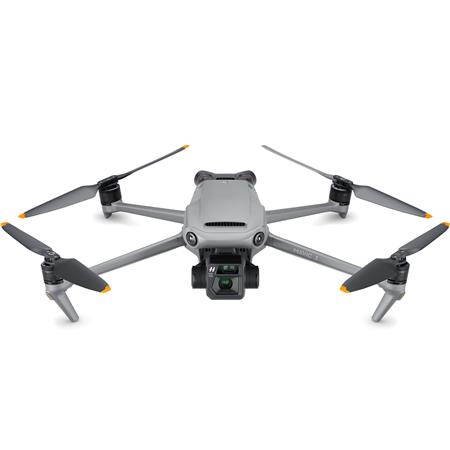
DJI Mavic 3 Classic, outside the USA: Mavic 4 pro.
It’s going to take a lot to beat the Mavic 3. Why? This little drone is amazing. It’s the drone I’ve always wanted. It’s portable and easy to travel with and has great range and battery life. This in itself isn’t enough though. I really need the sharpest high resolution photos and video and the onboard Hasselblad camera brings this. The Classic provides the same quality as the 3 Pro with a single camera for a more affordable price.
Smaller Drone
DJI MINI 5 pro
I don’t have a mini 5 pro, but I love the mini 3 pro, see my review here
Wireless Charging
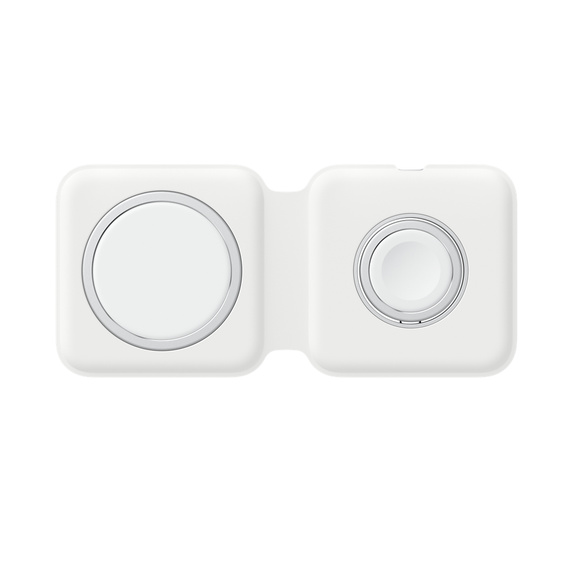
Apple Magsafe Duo wireless charging.
This 3 in one wireless charger I recommended last year broke. I replaced it with this Apple one which folds up into a small footprint and charges quickly and reliably. Be warned though, this charger doesn’t come with a charging brick, so you will have to shell out extra on tip of this already expensive piece of gear.
Screen Calibrartion
Calibrate Display Plus*
This is the best device for calibrating your monitor for accurate color. The Display plus now supports a wider color gamut and can also calibrate HDR monitors.

BEST CONSTANT LIGHTS
Luxli Timpani 1×1 RGB LED Light Panel (2-Light Travel Kit)
I have recently been turned onto these lights. I shot my ebike review with them, if you want to quickly see the quality.
What I love about them, They are bright and consistent. You can adjust the color temp to match existing lights, or go into RGB mode and dial in almost any color you like. They are sturdy and well built. Many light panel have weak yokes, but not these. They come configured as a convenient kit that includes a sturdy travel bag that will protect them for years to come.

PS, I currently use a Gitzo tripod as well as Siri and Vanguard.
My favorite bags right now are Think Tank Airport and Hex Cinema Backpack.
Ok, that’s it for now. If there is a category that I have excluded, drop a comment and I’ll see what I can do to expand this gear guide.
Thanks for checking this out.
Great to see you here at the CAFE!
Colin
For lots of great deals (seriously!), check out BH Holiday sale here
(I will earn a commission from these links, so I appreciate your support of the CAFE.)
3 thoughts on “Best Tech in 2025-2026 for Creative Pros PhotoshopCAFE Picks”
Leave a Reply
DJI Phantom quadcopter, also called Drones, or UAV, are taking the photography world by storm! We now have a flying...
New features in Photoshop 22.4.2, June 2021. New neural filters, instantly colorize black and white photos, add interactive bokeh Depth...
Testing the auto remove power lines in Photoshop. Testing with difficult images








enjoyed the write-up. I love my 16 inch MacBook too!
How many of these items are you sponsored by or act as brand ambassador or have been given as freebies?
Its disclosed in the written intro