
How to Swap a person to a different photograph
How to make the Drake Views album Cover in Photoshop
Right now, there is a lot of controversy around the artist Drake and his album cover for “Views from the 6”. People were wondering if the image of him sitting in the CN tower, was done in photoshop. It was confirmed this was the case. This tutorial shows you how to cut out a person from a background and composite them into a different picture. All humor aside, you will learn a lot about compositing, color and tone match and swapping a person between photos in Photoshop.
If you liked this tutorial, check out the SkyCity Project, compositing in photoshop tutorial.

Keep growing with Premium Courses
Photoshop 2026 for Digital Photographers
Learn Photoshop properly, from the basics to pro retouching, step by step.
$129.00 · one-time purchase · instant download

Free for you
The Photoshop Vault
Get my free Layer Blending Modes ebook along with dozens of exclusive Photoshop goodies: actions, brushes, presets and cheat sheets.
You're on the list, so your free goodies are waiting for you in the Vault.
Get Free Photoshop Goodies Open the Vault
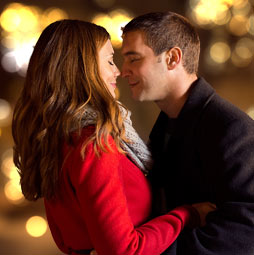
How to create Bokeh background blur to a photo in photoshop
Learn how to make a photo realistic Bokeh lens effect with photoshop. Create depth of field with a blurred background which adds... Read tutorial
How to use Select and Mask in Photoshop. Refine edges on every cutout
Free Photoshop tutorial. Ultimate guide to select and mask in Photoshop, how to get perfect edges on every background removal Read tutorial
How to create a Design Concept with Photoshop and Adobe Stock
In this Photoshop tutorial, learn how to create a cool mirrored effect that looks like something on a record cover, or movie... Read tutorial
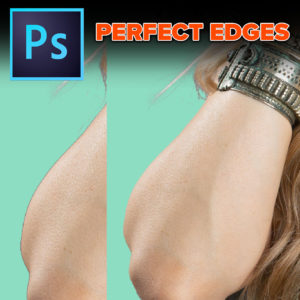
How to fix edges in Photoshop for perfect cutouts
How to fix edges on cut outs in Photoshop. Easily Remove edge fringes and halos on cutouts, this technique works for all... Read tutorial
Auto Selections in Photoshop with difficult backgrounds
New Photoshop ai selection against difficult backgrounds. How to make instant cutouts with busy backgrounds in Photoshop Read tutorial











Thanks lots of good information!! Mask layers have always hinder me, but I think your videos will really help me out. Hope you have something on adding color to an old black and white photo.
Absolutely love the tutorials, since lock down I am having a chance to watch your old tutorials.
Can you do some on 3D and how and where to use the other filters.