
how to make a photo look like it’s made of text in Photoshop
Making a Text Portrait in Photoshop Tutorial
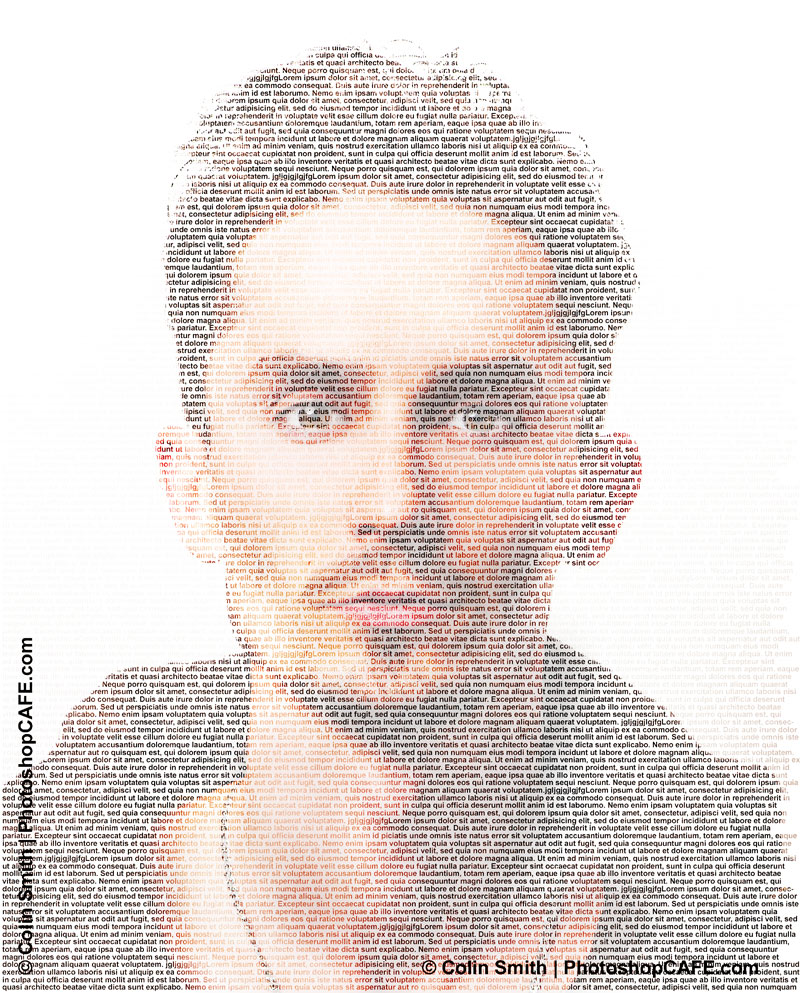
This is a super fun effect. This will make your photo look like it’s entirely made out of text.
You will be using luminosity masks as well as layer masks and adjustment layers to achieve this awesome effect. I have a primer on curves here that you may need to check out.
First of all there were dot matrix printers. People began organizing type in such as way as to create some of the first CG art. For the life of me, I have no idea how they had the patience. Then as graphics evolved, we wanted to make retro, lo fi style graphics. This tutorial shows you how to make a modern taje on the old text graphics. You can do this effecr in black and white and use a monotype to get a more retro feel if you want to. Even if you aren’t going for the same result as I have in this image, take a look at this tutorial because it will teach you a thing about masks and channels. Here is a larger version of the final result.
Related Resources
Samuel Jackson Generator (Explicit language)
I hope you enjoyed this tutorial. Don’t forget to subscribe to get a new tutorial each week as I release them.
Nice to see you here at the CAFE!
Colin
Recommended for this tutorial
Photoshop Compositing: Sky City Project. Photoshop 2026
Build a complete composite from start to finish and learn the techniques behind it.
$39.99 · one-time purchase · instant download

Free for you
The Photoshop Vault
Get my free Layer Blending Modes ebook along with dozens of exclusive Photoshop goodies: actions, brushes, presets and cheat sheets.
You're on the list, so your free goodies are waiting for you in the Vault.
Get Free Photoshop Goodies Open the Vault

How to wrap text around a photo in Photoshop tutorial
In this Photoshop tutorial, I'm going to show you how to wrap text around a photo using displacement maps and image warp.... Read tutorial
ANIME BEADS Photoshop Tutorial
I received a request from the forum for this effect from one of our Members living in Japan. This is a technique... Read tutorial
How to Create Animated Star Wars Perspective text effect in Photoshop tutorial
In this Photoshop tutorial, I'm going to show you how to create the title to Star Wars. We are going to make... Read tutorial
Outline text in Photoshop Photoshop Tutorial
Here is a fun little tutorial that will show you how to make chrome outlines around your text. Have fun and experiment! Read tutorial
Stamped metal text
In this Photoshop tutorial Im going to show you how to make a stamped metal effect. This is similar to what you... Read tutorial










There is some lovely fun of applying Samuel L Jackson text to photos of your in-laws. It’s a nice subtle way to share holiday frustration 🙂
Thanks for sharing very useful tutorial.
This looks like a fun trick and is enjoyable to watch. I can see there are possibilities to apply more than text. However, I cannot watch the tutorial and work in Photoshop trying to follow along. It is much better for me to have a tutorial I can print after watching the illustrations, so I have a handy referral tool to attempt the various steps.
Cool.. Very easy to do, thanks..
Really i’m very surprise to see your post about creating to make a photo look like it’s made of text in Photoshop . Keep continue sharing such post, Please .
Amazing tutorial. It’s really helpful.