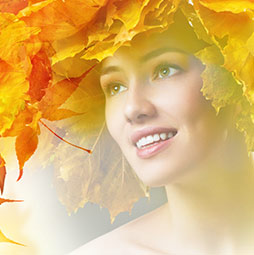
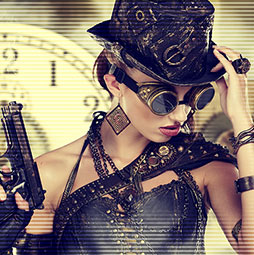
Low Contrast Fashion Photo Colorizing Effect
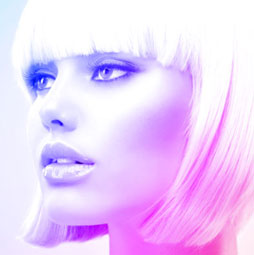
The Trendy Colorizing Effect
Step 1
This is an effect that I have seen used in different ways. It seems to have evolved into a low contrast version, which I have seen on movie posters etc. So I figured, why not make a tutorial on it and show you my way of making this effect. I don’t really have a name for it, so I heareby dub it the: Low Contrast Fashion Color effect.
To get started begin with a photograph, it works best on photos of people, but works on anything.

Step 2
First of all, for better results, reduce the contrast. The best way is to use an adjustment layer. Create a levels adjustment. (You could use Levels Cmd/Ctrl+L if you prefer)
In levels, Push the midrange to the left, by moving the middle gray triangle.

Step 3
Add a gradient fill adjustment layer. This is available as an adjustment Layer. Choose the Gradient Fill option.
Choose the rainbow colored gradient option by clicking on the gradient preview and choosing it from the gradients that appear.
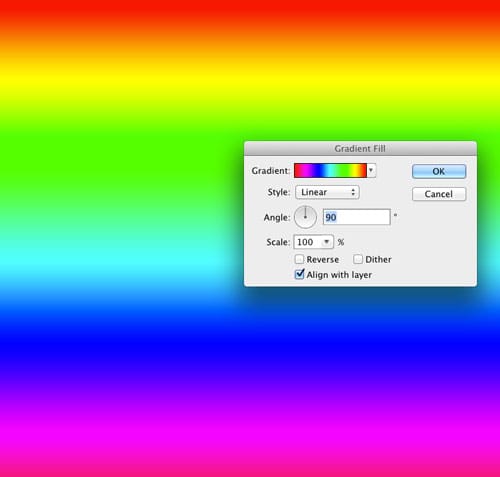
Step 4
Change the angle and size to you’re your tastes. Diagonal and larger work well, as it reduces the amount of colors splashed across the photograph and improves the effect.
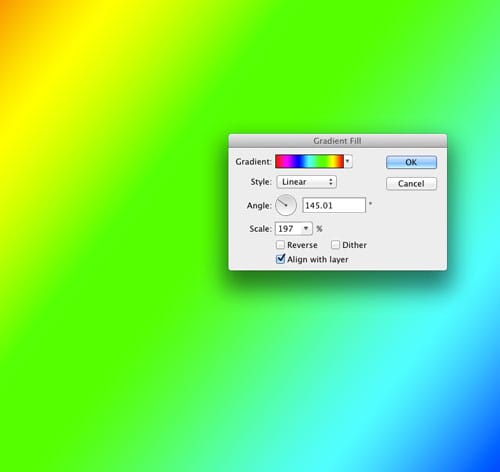
Step 5
With the gradient layer selected, change to color blend mode at the top of the layer panel, where it says “normal”. This will allow only the color to pass through to the photograph and preserving its deatails.
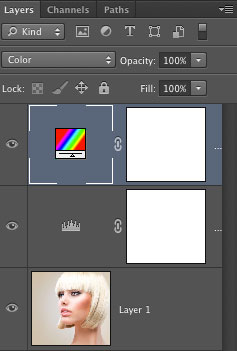
Step 6
The result should look something like this. If it doesn’t, you can always change the gradient by double clicking the gradient thumbnail in the Layers panel. This will open up the dialog box again (why Adjustment Layers are so good). Here is a tip: You can actually drag the gradient on the document to change it’s position. (When the Gradient Fill Adjustment Layer Options are open.)
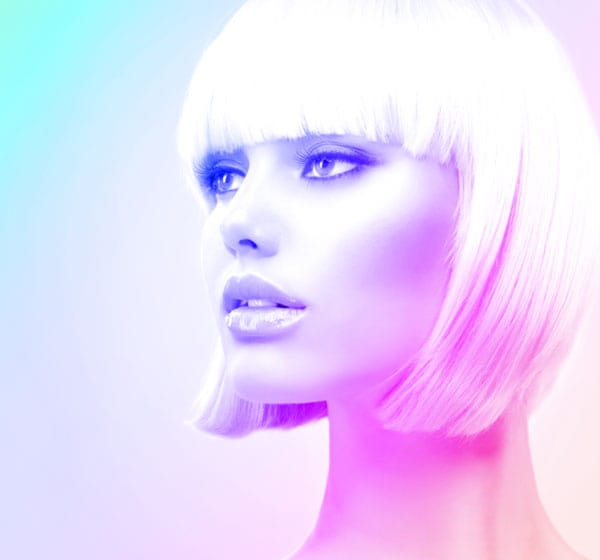

Keep growing with Premium Courses
Photoshop 2026 for Digital Photographers
Learn Photoshop properly, from the basics to pro retouching, step by step.
$129.00 · one-time purchase · instant download

Free for you
The Photoshop Vault
Get my free Layer Blending Modes ebook along with dozens of exclusive Photoshop goodies: actions, brushes, presets and cheat sheets.
You're on the list, so your free goodies are waiting for you in the Vault.
Get Free Photoshop Goodies Open the Vault
Making a mermaid in photoshop using photographs and 3D
Learn how this mermaid composite was made. By combining photographs, 3D and Photoshop, you can create CG composites that defy reality. Also... Read tutorial
Dodging and Burning Natural HDR in Camera Raw and Photoshop
We look at two methods of dodging and burning. One is with Camera Raw (exactly the same in Lightroom) and the second... Read tutorial
Hollywood style searchlight in Photoshop Tutorial
Create a hollywood style, spotlight effect. This tutorial came about as a result of a request from the forums. This effect will... Read tutorial
Cast Shadow in Photoshop Tutorial
What do you do when a drop shadow isn't realistic enough? Create a cast shadow. When you see an object in a... Read tutorial
Realistic Spotlight Effect in Photoshop Photoshop Tutorial
I am going to show you an alternative to lightening your photographs. This technique will add depth to your lighting and emphisis... Read tutorial