
Screw heads in Photoshop Photoshop Tutorial
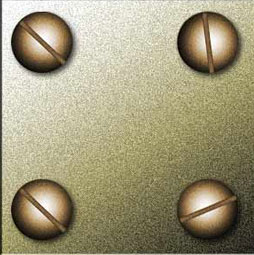
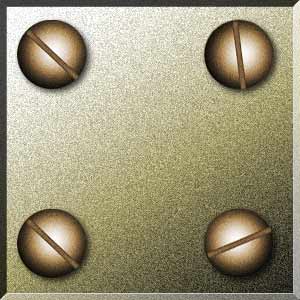
How to create a screw head in Photoshop tutorial
1. Make a circular selection.
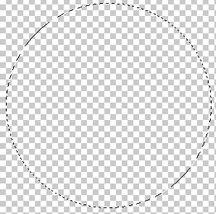
Tip: Hold down Alt/Option to draw from the center. Hold down Shift to draw a perfect circle. To move the selection while drawing, hold the spacebar.
2. Select the gradient tool. black to white circular gradient. Make sure you check the reverse box on the top bar.
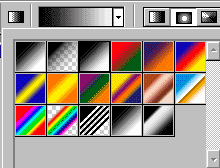
3 draw the gradient starting from the center and you should have something like this.
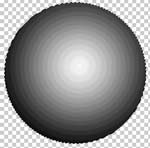
4 Now how about the slot?
Make a new layer. Draw a long rectangle and fill with dark gray.
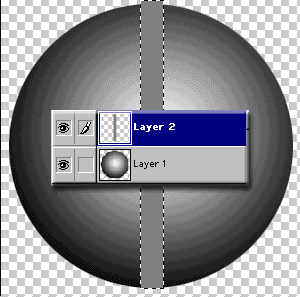
To trim the slot: Ctrl/Cmd click on the layer 1 thumbnail to select it. With the top layer active hit Ctrl/Cmd+Shift+I to invert the selection. Press the delete key. Now you should have a nicely trimmed slot.
To make the slot look recessed:
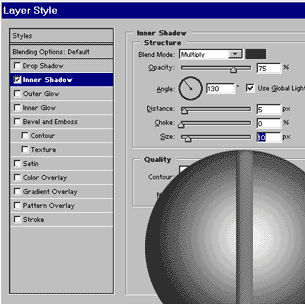
Add a layer style to the slot. Hit the little “f” at the bottom of the layers pallette. Use inner shadow wih the default settings except for the size, move that up a little bit for more realism.
6
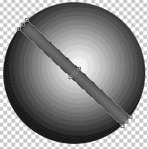
We are done, but how often is the slot perfectly vertical? Press Ctrl/Cmd+T for free transform. Move your mouse on a corner until it turns into a curved arrow. Drag it around until you have a nice angled slot.
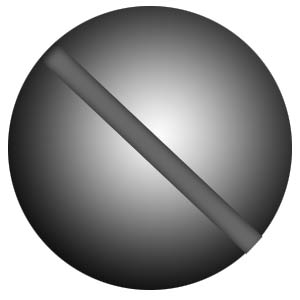
To finish, merge down and add a drop shadow and a bit of color if you desire.

Keep growing with Premium Courses
Photoshop 2026 for Digital Photographers
Learn Photoshop properly, from the basics to pro retouching, step by step.
$129.00 · one-time purchase · instant download

Free for you
The Photoshop Vault
Get my free Layer Blending Modes ebook along with dozens of exclusive Photoshop goodies: actions, brushes, presets and cheat sheets.
You're on the list, so your free goodies are waiting for you in the Vault.
Get Free Photoshop Goodies Open the Vault
Hollywood style searchlight in Photoshop Tutorial
Create a hollywood style, spotlight effect. This tutorial came about as a result of a request from the forums. This effect will... Read tutorial
Kiosk Orbs
This Tutorial has come about due to a few requests. This starts with a fairly simple object, and finally ends up with... Read tutorial
Realistic Spotlight Effect in Photoshop Photoshop Tutorial
I am going to show you an alternative to lightening your photographs. This technique will add depth to your lighting and emphisis... Read tutorial
Plastic Engraved type in Photoshop Photoshop Tutorial
How to embed type in photoshop. Heres a tutorial that will how you how to carve your mark. This is so simple... Read tutorial
Chrome text in Photoshop Tutorial
The essential chrome effect, don't leave home without it. This works on any object, not just text. Learn how to create chrome... Read tutorial










These look great. Do you have a tutorial on how to make them looked screwed into (sunken) into wood?