Photoshop amazing new features June 2021, auto colorize, DOF effects and more
Auto Colorize and Depth of Field in Photoshop
The neural filters have some additions. Depth Blur is new and colorize has been completely reimagined.
Colorize
First of all, colorize enables you to colorize black and white photos in a single click. (Or recolor existing ones). Let’s look at this black and white photo of Norma Jeane Baker, otherwise known as Marilyn Monroe from the public domain. BTW, you can find lots of public domain photos you can use without copyright restrictions, just google it.

When we apply the Filter>Neural Filters> colorize, we get this amazing instant result.

You will see a number of parameters that can be adjusted.
Depth Blur
The depth Blur filter analyzes the photo and builds a depth map (similar to what you would see in portrait mode on a modern smart phone). Depth Maps in Photoshop
A shallow depth of field is that look, where part of the photo is sharp while another plane (usually but not always the background) is out of focus and blurry. This is known a bokeh and used to only be possible with an expensive lens on an expensive camera. This effect can be generated and you have control over the focal distance (which parts are sharp) the amount of blur, fall off and even the ability to add fog effects. You can output the depth map separately and use that for other things. See the video to watch this feature work interactively.
Here is the original image courtesy of Adobe Stock.

Here we have focused very close .

Here is a focus on the mid-ground with a little smog thrown in, just for fun. You can change the focus area to whatever you please.

All of this is accomplished without making any selections.
Check out the rest of the new features on the video and drop a comment and let me know your favorite!
See you in the next tutorial
Colin

Keep growing with Premium Courses
Photoshop 2026 for Digital Photographers
Learn Photoshop properly, from the basics to pro retouching, step by step.
$129.00 · one-time purchase · instant download
Free for you
The Photoshop Vault
Get my free Layer Blending Modes ebook along with dozens of exclusive Photoshop goodies: actions, brushes, presets and cheat sheets.
You're on the list, so your free goodies are waiting for you in the Vault.
Get Free Photoshop Goodies Open the Vault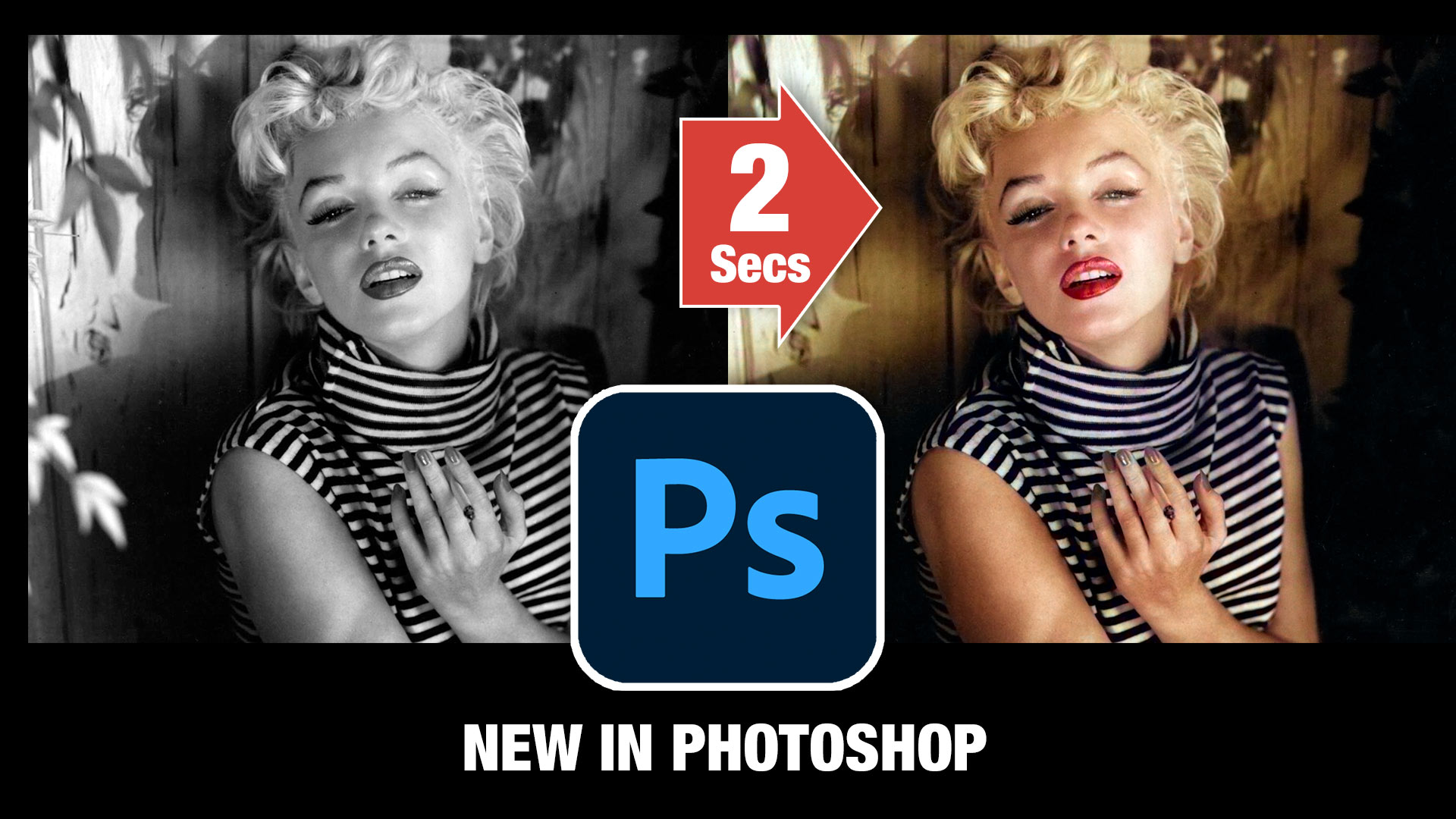

What’s New in Photoshop 2026 (Full Release Overview)
Explore the top new features in Photoshop 2026, Full release Read tutorial
New Photoshop features Photoshop 2025 April update
7 best new features in Photoshop 2025 April update Read tutorial
New Features in Photoshop 2026 Jan 26 update
Photoshop’s January 2026 update is here, what’s new? Read tutorial
Big ambitious NEW features in Photoshop 2025 July 29 update
How to use the NEW features in Photoshop 2025 July 29 update, free written tutorial and short video tutorial by Colin Read tutorial
New Features Lightroom Classic 2025. LRC 14
New Features in Lightroom Classic 2025 aka Lightroom Classic 14 Read tutorial









Wow, the colorize feature is very clever. Some others seem Instagram only ideas..
Love it! Thanks Colin for another excellent overview tutorial.
I love the colourize feature. Not perfect, but, extremely useful. I have a large number of black and white family photos that I was colouring by hand. Colourize saves a lot of time.
Great New Features but under the depth blur, I’ve tried it on a couple of my Night shots and it hasn’t converted all of the background, is there any way to correct this
Seems like Adobe is gradually going to replace several other softwares and services I have used for years – sorry for them, but my workflow will be helped.
Love the depth blur, think i will use that a lot
I love all the new featuresbut most of all I love that YOU are updating us every time a new feature arrives. Thanks 🙂
great presentation -as always!!!
Depth Blur Filter will be a great creative tool for me. I will go and try now.
Appreciate the great presentation.
Hey Colin – your presentations are always so refreshing! Thanks for giving us amazing tips and tricks!
Awesome as per normal. But the thing I like the most is to enable legacy save us. It was truly driving me crazy!! Thank you heaps
Colorize method Best Chosen. Wow Nice