
Photoshop 2020 June release, new features in Photoshop 21.2
How to use the new features in Photoshop 21.2, June Photoshop 2020 release. See all the new features and the new ACR 13.
New Features in Photoshop 2020 June update
On June 16th Adobe released a new update to Photoshop. There is definitely something here for both designers and photographers. Watch the video above and see how to use these new features and here is a quick rundown of all that’s new. (Spoiler alert, I saved the best for last, Camera Raw has a whole new interface)
Also see: Lightroom Classic 9.3 March 2020 new features
New App icon
The first thing you might have noticed is the new app icon. Some of the icons have three characters now, such as Psc (Photoshop Camera) and Lightroom Classic. Love ‘em or hate ‘em. They are here to stay and time to get new stickers for my macbook pro.

Ok, onward with the actual features.
Select Subject portrait optimization
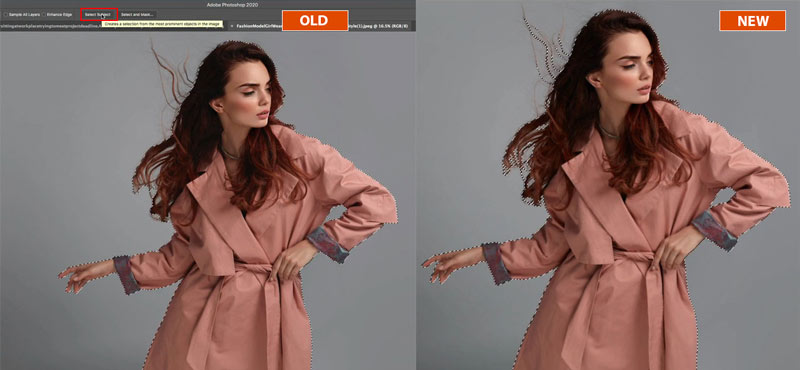
You might be familiar with Auto Select, choose the Quick select or Object selection tool and you will see an option on the toolbar: Select subject. Click the button and Adobe Sensei (AI) finds the main subject in the photo and makes a selection around it. its pretty neat and it’s AI had undergone some additional training, particularly in the area of portraits. It now does a better job of selecting people. See the comparison between the previous version and the new update here.

Adobe Fonts Auto activation
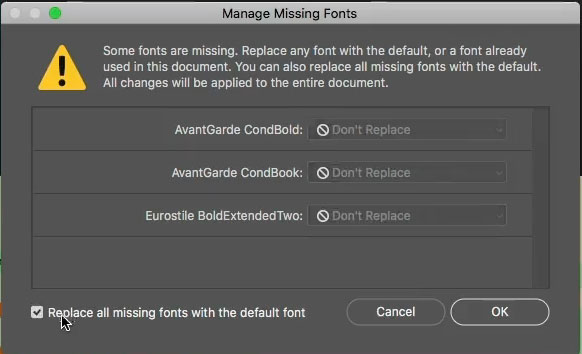
When you open a document containing fonts that aren’t on your system, things are smarter. If they are an Adobe font, Photoshop connects with Adobe Font, downloads and installs the fonts you need. For non adobe fonts you can manage the fonts in one place and replace them, or find and install the fonts. It’s a huge time saver.
Rotatable Patterns
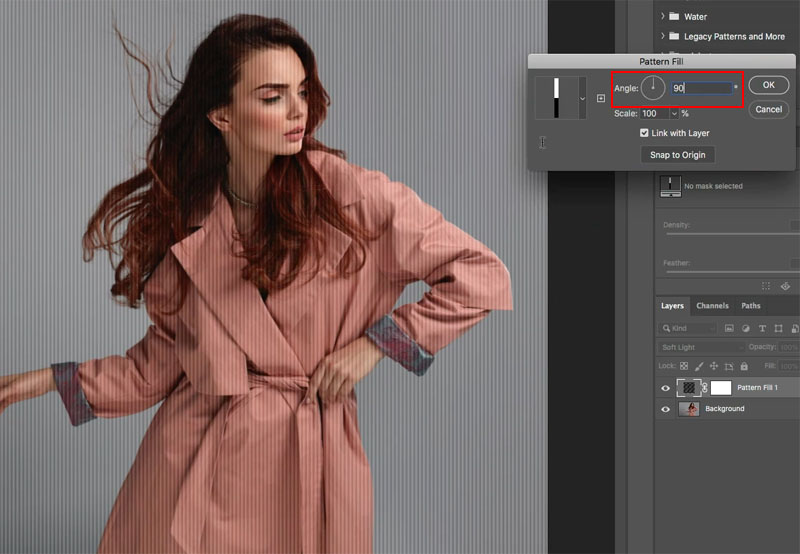
When you apply patterns either from the Patterns panel or from layer styles, you have always been able to scale them, but now you can also rotate the patterns in real time.

ACR 13. Camera Raw 13
Adobe Camera RAW (ACR) is now a teen. Welcome to ACR 13. It’s got some slick new features, but the big news is that sexy new modern interface! You can either use a horizontal or vertical filmstrip.
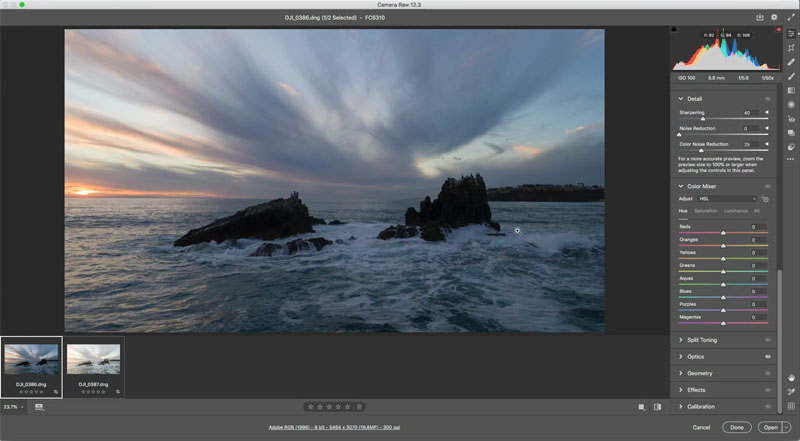
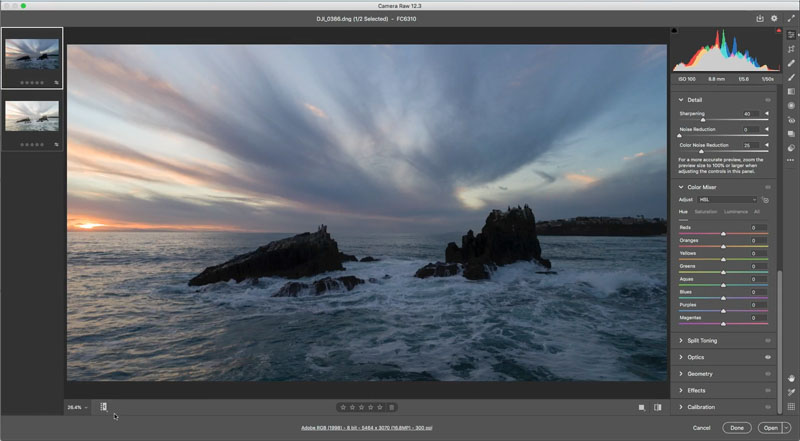
The thing I like the best is those tabs are gone. You can new scroll through all the different panels just like in Lightroom. In fact ACR looks and acts very much like the develop module in Lightroom.
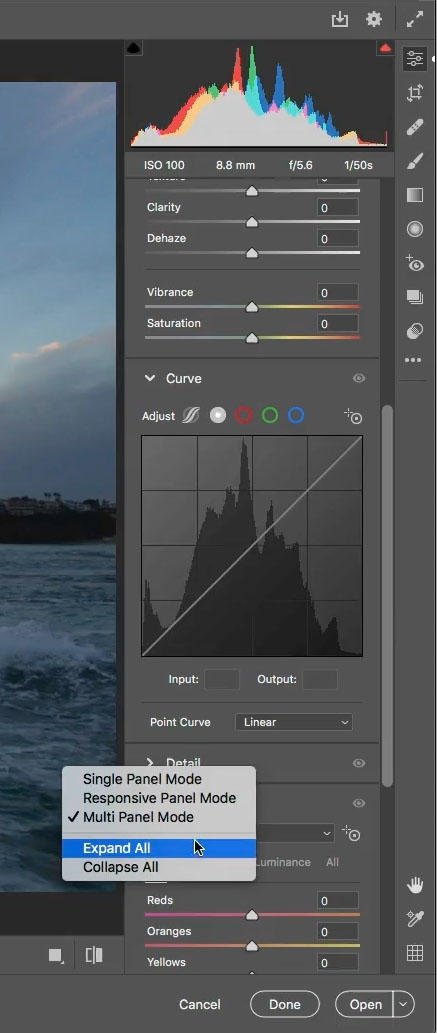
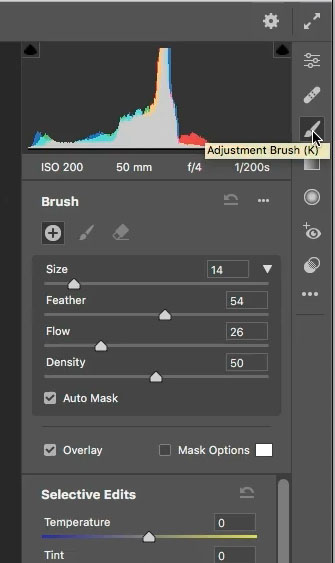
You can view the panels in solo mode; when you open a panel, the others collapse. The panel is context sensitive and displays the contents for the tool you select from the new vertical toolbar.
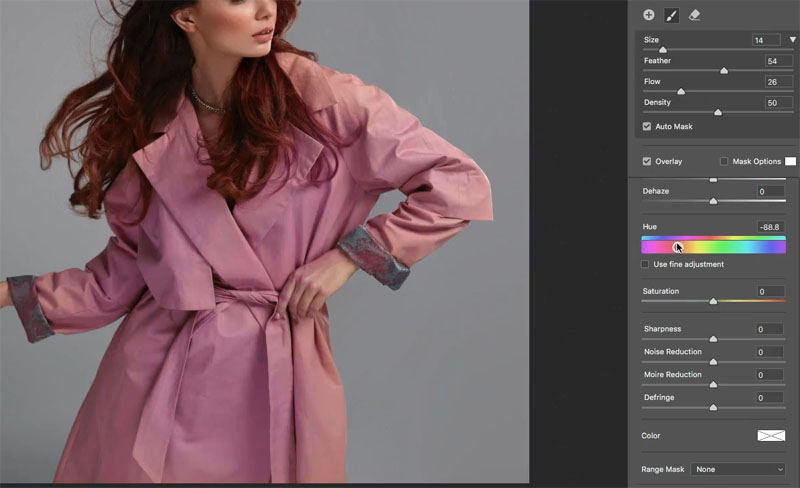
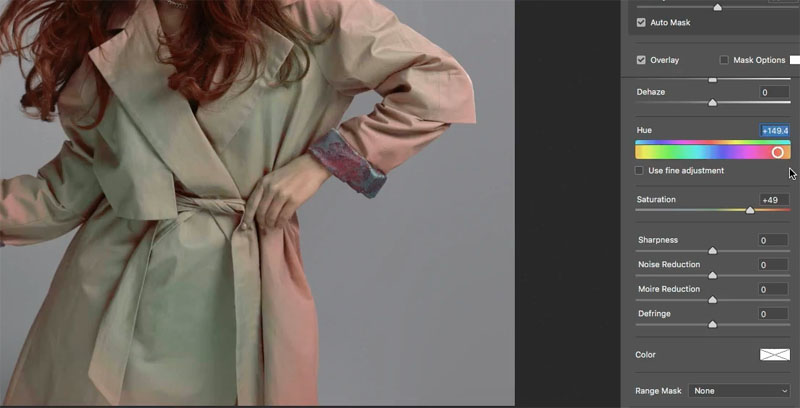
A Hue slider has been added to the local corrections; Adjustment brush, Radial and gradient tools. This enables you to change the color of objects in the photo by painting. This is also useful for removing color contamination and evening out the color of skin, such as reducing sunburn. If you hold down the alt/Option key as you move the slider it goes into “use fine adjustments” precision mode and moves very slowly.
ISO Adaptive Presets.
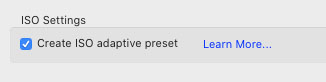
Imagine a preset that alters the amount of noise reduction or sharpening depending on the ISO of the photo? You need to select 2 or more photos with different ISO settings. Make a preset and vary settings between the different ISO images, such as turn up noise reduction on the higher ISO image. Save as preset and turn on the magic “Create ISO Adaptive Preset” button.
There are some more features in ACR that you can see in the video and also covered more in depth in my Lightroom Classic article. Yes Lightroom Classic is also updated today.
Match Font
Match font now supports Japanese fonts.
Lightroom Classic 9.3 March 2020 new features
Alright everyone, that’s it for the June 2020 Photoshop update.
You can browse all our Superguides, which cover almost every feature and every release in Photoshop since CS3. Also covers all the updates in Lightroom. It’s interesting to see which features went into which version and also it will make you aware of features you didn’t know exist, and of course they are all tutorial style.
Thanks for checking out everything
Colin

Keep growing with Premium Courses
Photoshop 2026 for Digital Photographers
Learn Photoshop properly, from the basics to pro retouching, step by step.
$129.00 · one-time purchase · instant download

Free for you
The Photoshop Vault
Get my free Layer Blending Modes ebook along with dozens of exclusive Photoshop goodies: actions, brushes, presets and cheat sheets.
You're on the list, so your free goodies are waiting for you in the Vault.
Get Free Photoshop Goodies Open the Vault
What’s New in Photoshop 2026 (Full Release Overview)
Explore the top new features in Photoshop 2026, Full release Read tutorial
New Photoshop features Photoshop 2025 April update
7 best new features in Photoshop 2025 April update Read tutorial
New Features in Photoshop 2026 Jan 26 update
Photoshop’s January 2026 update is here, what’s new? Read tutorial
Big ambitious NEW features in Photoshop 2025 July 29 update
How to use the NEW features in Photoshop 2025 July 29 update, free written tutorial and short video tutorial by Colin Read tutorial
New Features Lightroom Classic 2025. LRC 14
New Features in Lightroom Classic 2025 aka Lightroom Classic 14 Read tutorial












Thank you so much Gor the new information. After 28 years with Photoshop. I always look forward to something new.
What happend to the camera/lens correction. Also I can not find the correction for level. Most of my photography is hand held so I used often.
Its under geometry
“Select Object” is missing, this happened in the last version as well.
Is there a way to download it or is it only for special friends of Adobe
Reset yout toolbar preferences, Click and hold on the 3 dots in the toolbar to do it. I also show it in my fixing 2020 bugs tutorial
Thanks again Colin. Perfect timing. I always have difficulty finding changes in PS updates.
Appreciated
Hey Colin, Thanks for the review. Question. When you opened the Detail menu, I did not see these items: Sharpening: amount, radius, detail, masking, and under Noise reduction: Luminance, Luminance Detail, Luminance Contrast, Color Detail and color smoothness. Have these been removed? If they are still there where are they? I ask as I use some of these on a regular basis. Thanks!
Click the arrow to reveal options in each panel
Colin, Currently I have PS CC 2019. I have managed to get Raw installed but as I do not want Creative Cloud at all, can I get Bridge installed with out it or not. Lots of places says I can but when I attempt it it installs Creative Cloud desktop.
Help would be appreciated.
Probably only an older version of bridge if it’s compatible with your system
I love new changes, but I have an issue with Liquify, I can’t fast change brush size (with al+right click on the mouse-changing like in slow motion) it’s very very slow (make big or small size of the brush) for some reason! If anyone has the same issue?
after I create a mask for one layer I try to move that object within the background I drag the image , the original stays put and I am moving a copy, why?
Is anyone else noticing a big slowdown in saving a file since the update? Saving has been taking a second, maybe two. But now it is more like 8 to 10 seconds. Late 2015 iMac 27″ Mojave 10.14.6 (Guess I should ask if it is time to update to Catalina)
BTW, Hi John! Great to see you here.
Hi Will love the new look once I get used to using it. The icons on toolbar are not so obvious without the stroke round them. Find the crop tool in Raw difficult in Custom Mode. It very slow to react, Staighten is ok
Would love a new tutorial on selecting flyaway hair from a busy background. New select subject much better but when I put it onto a white background get a lot of grey and I don’t have the skills to remove them. Ok on black.
Thanks for all the wonderful tutorials
Why can’t I get Liquify ,I’ve had it before ,but since update when I go into it it’s all greyed out .
Error message says check graphics processor is checked ( which it is ) any ideas ,it’s really frustrating when I want to work on a face and can’t .
QUESTION:
How in Photoshop 2020 in the Free Shapes Tool to remove all these “Trees”, “Animals”, “Boats”, “Flowers” and install your Shapes downloaded from the Internet?
You can load and delete. I have another tutorials that shows how to work with presets
I have impression that the use of the high paas filter is changed. The change of the blending mode is no visible anymore in the high pass layer. I have to go back to the original image and click on it and then go back to the HP filter layer to adjust the opacity or fill in. Is this normal or is it my computer? In any case it is not an improvement.
Sounds like your computer. There were no changes made to HP this time around.
Helpful information. Though I did not use Photoshop 2020 till now.
Hi Colin, I can’t seem to figure out how to access my camera raw filters/presets in the updated camera raw interface. These are ATN files that aren’t appearing in the “presets” section of the camera raw interface. Do you have any suggestions? Thanks for all your work!
Actions don’t work in Camera Raw, they never have. You load those into the actions panel in Photoshop