
Copy the color grade from any movie and add it to your photos in Photoshop
How to copy the color grade from a movie and instantly apply it to your photos in Photoshop
How to copy a movie color grade and apply it to any photo. Create the Zach Snyder Justice League and 300 look in Photoshop. Colin Smith shows you how to steal the color grade from any move and add it to your photos. The proper way to do cinematic color grading made really easy. and quick.
0:00 Intro, the setup
0:34 Finding the source images, how to make screen captures
1:36 5 things that make the Zach Snyder look
3:10 Project 1, the basics of copying a color grade (city)
4:46 color grade a portrait (project 2)
5:50 Advanced Color grading a scene
7:20 Additional tricks in Photoshop for a color grade

Keep growing with Premium Courses
Photoshop 2026 for Digital Photographers
Learn Photoshop properly, from the basics to pro retouching, step by step.
$129.00 · one-time purchase · instant download

Free for you
The Photoshop Vault
Get my free Layer Blending Modes ebook along with dozens of exclusive Photoshop goodies: actions, brushes, presets and cheat sheets.
You're on the list, so your free goodies are waiting for you in the Vault.
Get Free Photoshop Goodies Open the Vault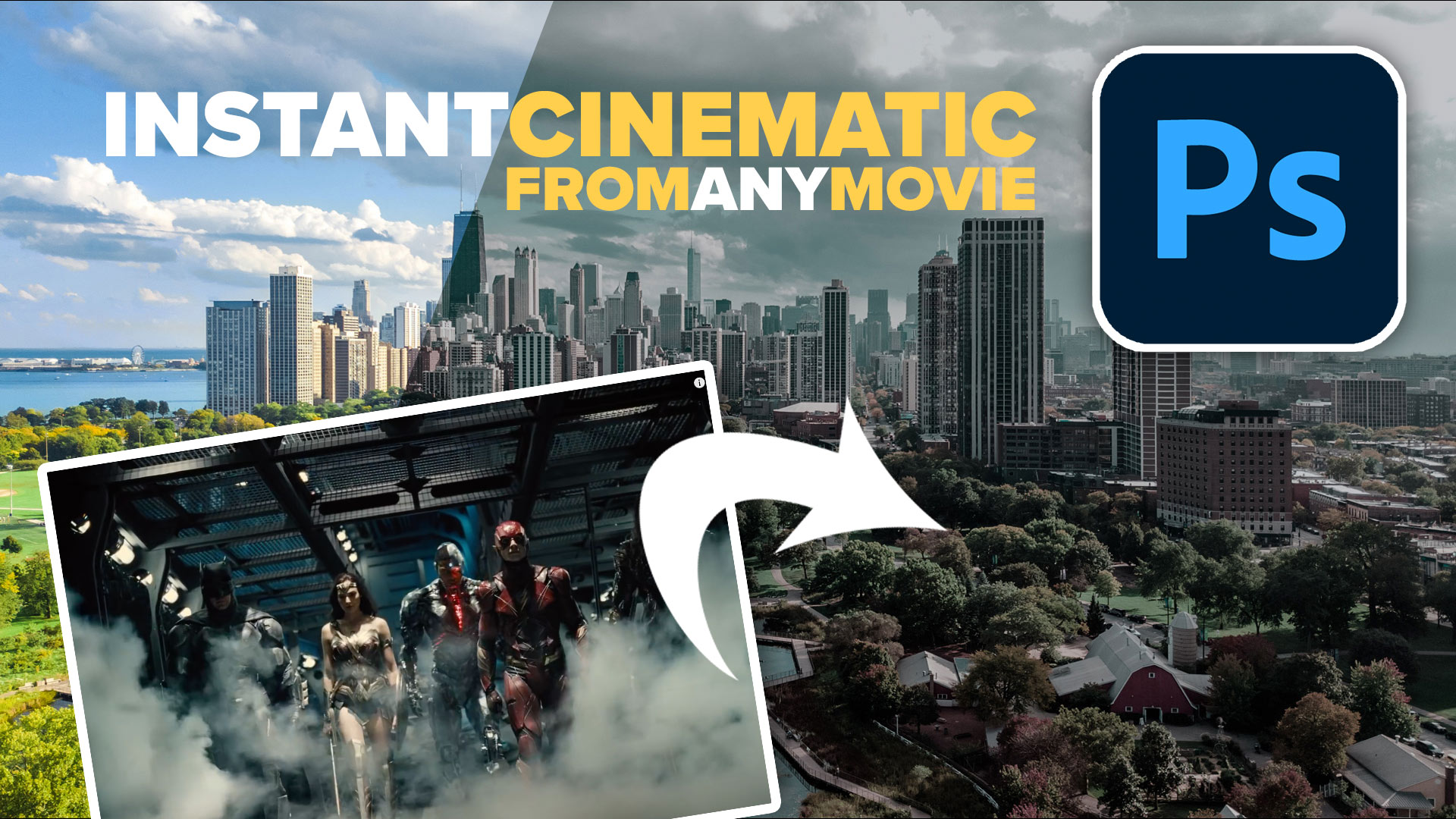
Hollywood style searchlight in Photoshop Tutorial
Create a hollywood style, spotlight effect. This tutorial came about as a result of a request from the forums. This effect will... Read tutorial
Vintage Photo effects in Photoshop tutorial. 4 popular processing effects
Learn how to make 4 vintage photo effects in thisPhotoshop tutorial. Learn processing techniques that were historically used and how to reproduce... Read tutorial
The 10 Best Photoshop Tutorials of 2020
The top free Photoshop and Lightroom tutorials. 12 best free Photoshop and Lightroom tutorials are right here. Read tutorial
Photoshop colorize neural filter, 3 tips for total control over color
I have been experimenting with the amazing colorize ai powered filter added to Photoshop. I discovered a few things that will really... Read tutorial
Automatically Colorize Black & white photos in Photoshop tutorial. Make Photoshop use different colors.
How to automatically colorize a black and white photo in photoshop using AI powered tools. New features tell Photoshop what colors to... Read tutorial











As usual, you taught me something today that I never knew about. Thanks.
You are VERY generous with your expansive knowledge & experience.
Always so clear & precise. Inspiring.
Thank you.
See you at LFL!
LOVE this tutorial Colin!! Thank you for sharing it. I’ve wanted to do this kind of photography for YEAAAAARS, but never really played around with it because it seemed overwhelming. This is incredible and I can’t wait to do some shots with it!! Thank you
PS….300 is my favorite movie BECAUSE of the *look* of it. I literally cried the first time I saw it on the big screen because of how BEAUTIFUL it was. And then I went and saw it 3 more times on the big screen!!! Everyone thinks it’s cuz of the 1/2 naked men and I’m all nerd when I talk about it “NOOOOO…it’s the cinematography after effects they did on it in addition to a great story…..men….what men?” LOL
Very cool tip. Thanks!
This was great! After getting a look to simulate a cinematic style then I’d like to create a LUT that can be used over again…. I assume there’s a way to do that. But I’m not sure what it is.
Can’t get the printscreen; file capture to work on Win 10.
Found the trailers on Youtube but nothing else works for me.
Like the video, however.
Another tip-top tip!
Thanks, Colin. This was good and really easy. I haven’t used Color Match much, it opens a new world of possibilities.
This is again very instructive, thanks Colin
Very interesting tutorial. Thanks for creating.
Many Thanks! So much appreciate your efforts and your non-selfish sharing–Blessings to you.
Yesss. You’re good 🙂
I have been trying this but it doesn’t work for me. I capture the image, go into PS/file new/paste and save. Then when I go into match color and select it, it is washed out completely. It’s the same every image no matter what I capture. I’ve used printscreen and windows key+shift+s but no luck. When saved the image looks fine but not when I select it. Any suggestions?
This was excellent and exactly what I was looking for.
Thanks; I never considered that such ‘borrows’ are possible.