
Lightroom Classic 2023 New Features
Check out the new features in Lightroom classic including new ai masks and more.
The biggest new features in Lightroom are the ai masks for selections. Lightroom can now automatically select and mask skies, objects, foregrounds and faces.
In the faces, Lightroom can select hair, eyes, lips, face skin, body skin and eyebrows. These masks can be grouped together, or separated out for retouching.
There is also a new content aware fill style tool in the spot tool. Check out the video to see these new features in action in our Lightroom 12 aka Lightroom 2023 tutorial.
Let me know in the comments what feature you like the best
Thanks
Colin
PS Don’t forget to follow us on Social Media for more tips.. (I've been posting some fun Instagram and Facebook Stories lately)
You can get my free Layer Blending modes ebook along with dozens of exclusive Photoshop Goodies here


2 thoughts on “Lightroom Classic 2023 New Features”
Leave a Reply
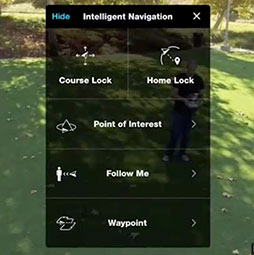
how to use the DJI Intelligent flight modes for the Phantom 3 and the Inspire 1. Course lock, home lock,...

Learn how to stitch seamless panorama photos in this free Adobe Lightroom tutorial. Fix the edges of a panorama with...

How to use the new Features in Photoshop 2023 June v 24.6 release.











What version is this? I double checked mine as of now and only see the ability to select whole subject?
Great new features, thanks for showing them to us.