DSLR Camera Basics
DSLR Camera Basics
You bought a DSLR camera, because it offers so much more control than a point and shoot camera. If you just put it in program mode and shoot away, then you may as well just use a point and shoot, because that is what you are doing. The purpose of this video is to teach you how your camera works and how to use all the different settings and options. Tim makes the best recomendations on shutter speeds, apertures, the right lenses and much more. This video will teach you what you need to get started using all the control and power that comes with a DSLR camera. When you know what you’re doing, you will make better photographs right away.
Tim Cooper has been travelling all over the world for several years, helping thousands of photographers hone their craft. As you watch, Tims’ plain English style will cause you to understand how to use your camera and accessories.
Running time: 4 hours. MAC/Windows (Videos can be copied over to mobile devices)
Description
Introduction (01:58)
Tim welcomes you and gives an overview of the lessons and concepts you’re about to learn
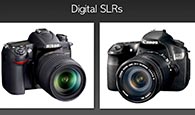
Your DSLR (06:46)
The ins and outs of your DSLR camera.
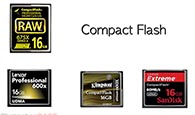
Things to get started (23:25)
Learn about all the basic accessories and technology that you’ll need to to know before mastering your DSLR.
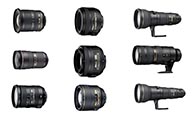
Lenses (18:31)
A complete overview and functionality of all the standard lenses and how you use them to better tell your story
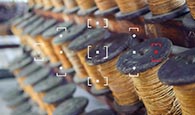
Focusing your camera (12:48)
You’re now ready to take some pictures! Learn how to adjust your focus and settings for simple and difficult situations
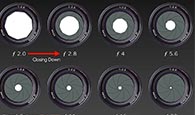
Exposure (24:52)
How ISO, shutter speeds and apertures work together.
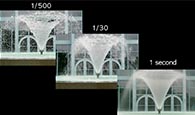
Shutter Speeds (27:19)
Delving a little deeper into shutter speed control and how it.
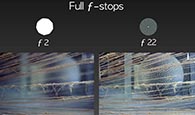
Apertures (25:11)
Learn how the aperture controls the overall sharpness of your photographs.
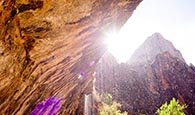
Exposure Problems (16:12)
Even though your DSLR is a marvel of technology, sometimes they don’t produce the best exposure. Learn why your exposure may be off and how to fix the problem
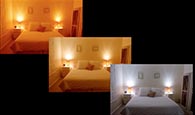
White Balance (27:53)
Explore color and learn how your white balance setting can correct for different lighting situations.
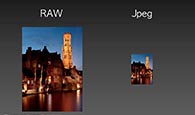
File formats (14:29)
Unlike film, your DSLR images are captured as digital information and turned into files. Learn how your files are stored in your camera and the different quality settings available to you.
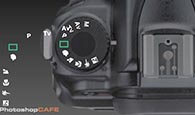
Shooting Modes (25:58)
Learn in detail each individual shooting mode system in your DLSR.
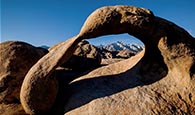
Photographic Composition (21:08)
As a photographers, we must arrange the parts of our scenes to make them harmonious, through our primary subject and secondary subjects.
Goodbye (02:03)
Tim signs off and gives you three powerful resources to further your photographic journey.
$49.99



Reviews
There are no reviews yet.