
Make photo edges in Photoshop tutorial
Here is a sports photo that I shot using a quadcopter. Its a beach basketball player at Laguna beach who agreed to let me film him in action. What if I want add a High Energy photo edge to this photo for some extra punch? This tutorial shows you how to make your own photo edges in photoshop.
Please watch the video AND read the steps, there is unique info and different techniques in both, they supplement each other.
The images used for the photos and parchment paper edges are from Adobe stock.

Step 1
Make a selection around the inside of the image

Step 2
Invert the selection Ctrl/Cmd+Shift+I

Step 3
 Press the quickmask button on the tools palette or just press the “Q” key

Step 4
You can really use any filter at this point. Now that we have a quick mask, we essentially have a selection that we can apply filters to.
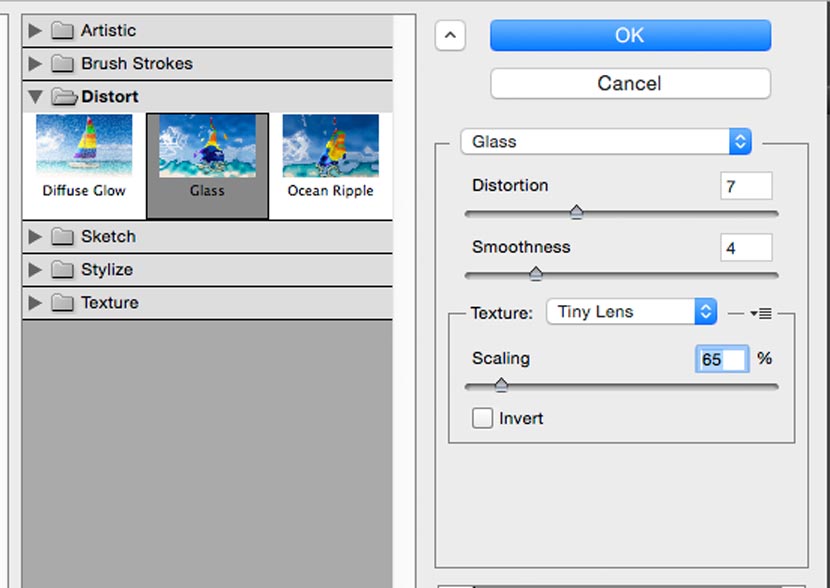
Filter>Filter Gallery
Choose Distort>Glass and makes some settings similar to what we have here.
Step 5
Click ok and Here is the filter applied to the quick mask.

Step 6
Turn off the quick mask using the button or pressing “Q”
Invert the selection so that the inside of the photograph is selected. Ctrl/Cmd+Shift+I

Step 7
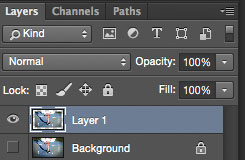
Lets copy the selection to a new layer, Press the Ctrl/Cmd+J keys
Hide the background layer to reveal our effect
Step 8
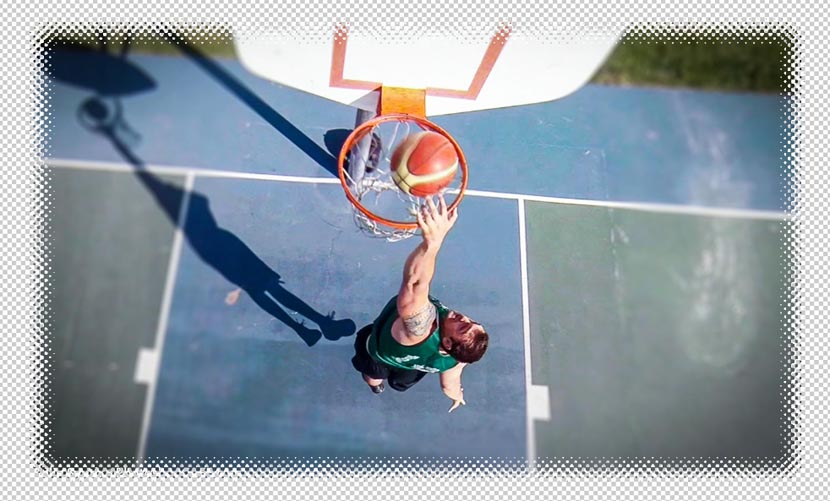
Fill the background with white.


Extra credit
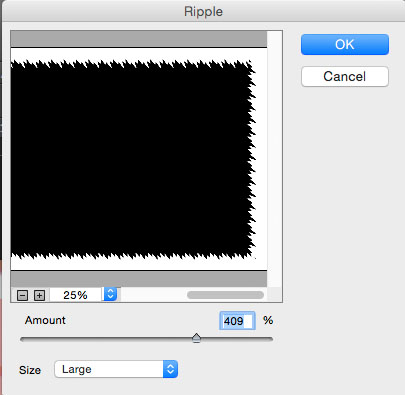
You can use different types of filters on the selection. Play around and discover some favorites of your own. Here is one variation using the Ripple filter.

Try adding an adjustment layer between the cut out and original images for some interesting effects.
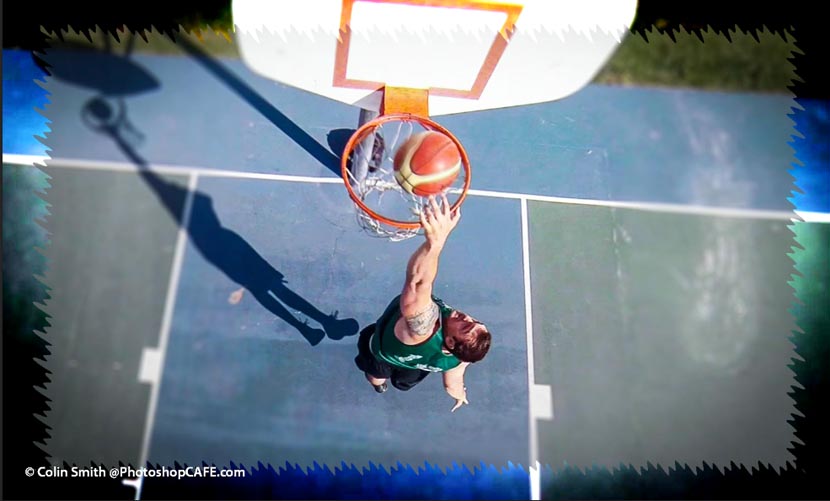
Here is our image with the new edge, Experiment with different filters and have fun. Post your results for us to praise 🙂
See you at the CAFE
Colin
Keep growing with Premium Courses
Photoshop 2026 for Digital Photographers
Learn Photoshop properly, from the basics to pro retouching, step by step.
$129.00 · one-time purchase · instant download

Free for you
The Photoshop Vault
Get my free Layer Blending Modes ebook along with dozens of exclusive Photoshop goodies: actions, brushes, presets and cheat sheets.
You're on the list, so your free goodies are waiting for you in the Vault.
Get Free Photoshop Goodies Open the Vault
Rusted Type Photoshop Tutorial
There are many methods to creating rust in Photoshop. Here is one way to make rusted type. We can make our text... Read tutorial
Photo zoom blur effect in Photoshop tutorial
You can pull the viewers eye into a portion of a photograph by simulating an in-camera zoom effect. This zoom effect is... Read tutorial
Hollywood style searchlight in Photoshop Tutorial
Create a hollywood style, spotlight effect. This tutorial came about as a result of a request from the forums. This effect will... Read tutorial
Realistic Spotlight Effect in Photoshop Photoshop Tutorial
I am going to show you an alternative to lightening your photographs. This technique will add depth to your lighting and emphisis... Read tutorial
Golf Ball Photoshop Tutorial
Phil has provided an excellent tutorial on making a realistic Golfball in Photoshop. Read tutorial







Great tutorial, I also like the use of a quadcopter for some interesting photography.
I can’t find the link for 10 free images.
The link is posted just under the video
I am using Photoshop 7 (because I can’t afford one of the newer versions (I am a senior citizen). I don’t seem to be able to do any of the tutorials. Is it because my Photoshop version is too old?.
Great tutorial. Now I’ll go and try it on some of my own photos and see what I can come up with. Thanks!